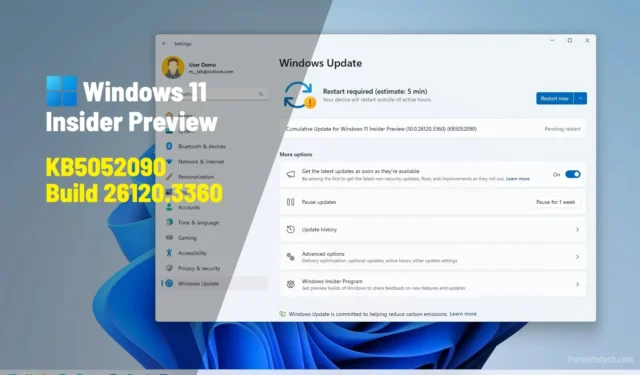
1. What Is KB5052090?
The KB5052090 update is a cumulative update released by Microsoft for Windows systems, designed to improve security, stability, and system performance. Each Windows update labeled “KB” (Knowledge Base) includes bug fixes, vulnerability patches, and enhancements that address both known issues and newly discovered threats.
Specifically, KB5052090 focuses on security hardening, Windows kernel improvements, and network connectivity fixes. Microsoft frequently releases such updates as part of its Patch Tuesday cycle — a regular maintenance schedule where critical patches are distributed globally to keep Windows devices protected against exploits and performance issues.
This update is available for Windows 10, Windows 11, and Windows Server editions, depending on your build version and architecture (x64, ARM64, or x86).
2. Key Improvements and Fixes in KB5052090
According to Microsoft’s update documentation, KB5052090 addresses several key areas of the Windows ecosystem:
-
Security Vulnerability Fixes: Patches multiple zero-day vulnerabilities found in Windows components, reducing risks of malware injection and privilege escalation.
-
System Performance Optimization: Fixes intermittent high CPU usage caused by system background processes such as
svchost.exeandSearchIndexer.exe. -
Windows Defender Enhancements: Updates the Microsoft Defender Antivirus engine for better real-time scanning and threat detection.
-
Network Stability: Resolves issues related to Wi-Fi disconnections and VPN authentication errors on enterprise networks.
-
Printing and USB Fixes: Corrects bugs in USB peripheral recognition and network printer drivers, ensuring stable performance.
-
Windows Update Reliability: Improves the Windows Update mechanism to prevent incomplete installations and error codes such as 0x800f0922 or 0x80070005.
Users have reported smoother boot times, more consistent connectivity, and fewer blue screen occurrences after installing this update.
3. How to Download and Install KB5052090
Installing KB5052090 is straightforward and can be done using Windows Update, Microsoft Update Catalog, or manual installation.
Option 1: Through Windows Update
-
Open Settings → Windows Update.
-
Click Check for updates.
-
If KB5052090 appears, select Download and install.
-
Restart your PC once the installation completes.
Option 2: Using Microsoft Update Catalog
You can also manually download the standalone update file:
-
Visit the official Microsoft Update Catalog.
-
Search for KB5052090.
-
Choose the version matching your system (Windows 10/11 x64, ARM64, etc.).
-
Download and run the
.msuinstaller. -
Restart your device to finalize installation.
Option 3: Via Command Prompt (Advanced Users)
Run this command:
This installs the update silently and prevents auto-restart.
4. Common Issues After Installing KB5052090
Although most users experience a seamless installation, some have encountered minor post-update issues. These include:
-
Slow boot or startup delays on older SSD systems.
-
Temporary audio driver mismatches (especially with Realtek and Intel HD drivers).
-
Error 0x800f0831 preventing successful installation — often fixed by running the Windows Update Troubleshooter.
-
Missing updates due to corrupted system files, which can be repaired with:
If KB5052090 causes performance degradation, users can uninstall the update via Control Panel → Programs and Features → View Installed Updates → Uninstall KB5052090.
Microsoft typically releases follow-up cumulative patches to fix secondary issues that may arise after rollout.
5. Why KB5052090 Is Important
Keeping your system updated with patches like KB5052090 is essential for multiple reasons:
-
Security Protection: Cybercriminals often target unpatched vulnerabilities. Installing KB5052090 ensures your system has the latest defense mechanisms.
-
System Reliability: Updates like this one fix long-standing issues, improving Windows performance and uptime.
-
Compliance and Compatibility: Many organizations require devices to stay updated for regulatory compliance and to ensure software compatibility with Microsoft 365 and Azure environments.
-
Better User Experience: Stability fixes lead to smoother multitasking, faster network connections, and fewer application crashes.
Ignoring updates leaves systems open to malware attacks, data breaches, and software conflicts—which are much harder to repair than preventing them through regular patching.
6. Final Thoughts and Recommendations
The KB5052090 Windows Update is a critical maintenance release that brings both security and stability improvements to Microsoft’s modern operating systems. While every Windows patch can introduce minor hiccups, the benefits of installing KB5052090 far outweigh potential drawbacks.
Pro Tip:
Before installing any cumulative update, create a System Restore Point. This allows you to revert to a previous state if something goes wrong during installation.
In summary, KB5052090 is a vital update for all Windows users who value performance, protection, and reliability. Whether you’re a home user or IT professional, keeping your system current ensures long-term efficiency and security.