Bios Ps2 (2026): What It Is, Why It Matters, Best Versions, Setup Guide, Legality & Compatibility

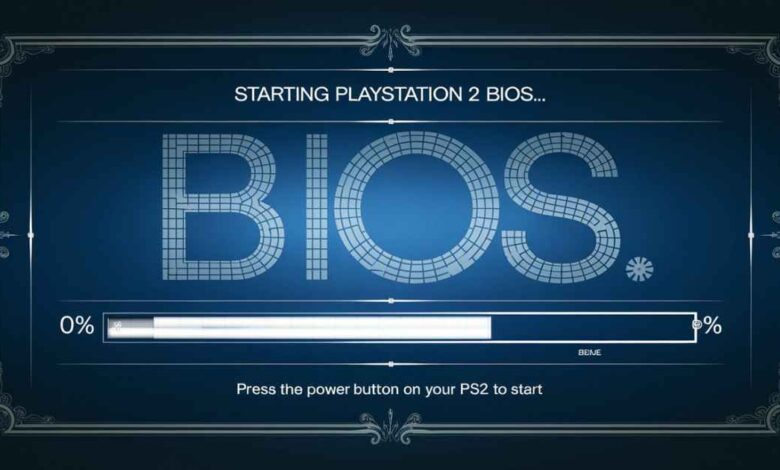
The PlayStation 2 (PS2) remains one of the greatest gaming consoles ever created, and in 2026, its popularity continues to grow thanks to modern emulators like PCSX2 2.0+, NetherSX2, and powerful handheld gaming devices. Whether you’re playing on a gaming PC, Steam Deck, ROG Ally X, Android handheld, or Apple Silicon Mac, one thing remains essential: the bios ps2.
Many beginners ask questions like “What is bios ps2?”, “Is downloading bios ps2 legal?”, “Which bios ps2 version is best?”, and “How do I set up BIOS in PCSX2?” This complete guide answers all of those questions while following legal best practices and the latest emulation developments in 2026.
If you want maximum compatibility, smoother gameplay, and fewer emulator errors, understanding the BIOS PS2 is the first step.
What Is BIOS PS2 and Why Does It Matter in 2026?
The BIOS PS2 (Basic Input/Output System) is the firmware permanently stored inside every PlayStation 2 console. Think of it as the console’s core operating system. Before any game loads, the BIOS initializes the hardware, verifies security checks, manages memory cards and controllers, and launches the PlayStation 2 operating environment.
Without a BIOS:
- A physical PS2 cannot boot.
- PCSX2 cannot start games properly.
- AetherSX2 and NetherSX2 cannot emulate the console accurately.
The BIOS is approximately 4 MB in size and resides on a ROM chip inside every PlayStation 2 model.
Its primary responsibilities include:
- Hardware Initialization – Starts the Emotion Engine CPU, Graphics Synthesizer (GPU), SPU2 audio processor, IOP processor, USB ports, and other hardware before gameplay begins.
- Security & Region Lock – Enforces NTSC-U, NTSC-J, and PAL region restrictions on original hardware.
- System Services – Loads the PS2 Browser, DVD Player, Memory Card Manager, and System Configuration menus.
- Controller Authentication – Ensures accessories communicate correctly with the console.
A common misconception is that there is a single universal BIOS file. There is no generic BIOS PS2. Every BIOS is dumped from a specific PlayStation 2 model and region, and using the wrong version may lead to compatibility problems.
Is BIOS PS2 Legal? Understanding Copyright in 2026
One of the most searched topics surrounding PS2 emulation is legality.
The BIOS PS2 is copyrighted software owned by Sony and has never been released as freeware or open-source software.
Here’s the legal situation in 2026:
| Situation | Legal Status |
|---|---|
| Downloading BIOS from random websites | Illegal in most countries because it involves unauthorized distribution of copyrighted software. |
| Dumping BIOS from your own PS2 console | Generally legal in places that allow personal backup or fair use, provided you own the hardware. |
| Sharing your dumped BIOS online | Illegal, as distributing copyrighted firmware infringes Sony’s rights. |
| Using your own dumped BIOS in an emulator | Generally considered legal when it comes from your personally owned console. |
Bottom line: The safest and most legally sound approach is to dump the BIOS from your own PlayStation 2.
Many websites advertise “Free BIOS PS2 Download”, but downloading copyrighted BIOS files from unofficial sources may violate copyright law. For educational, preservation, and SEO best practices, always teach users how to create their own backup instead of downloading copyrighted firmware.
Best BIOS PS2 Versions for PCSX2 in 2026
Sony released numerous BIOS revisions between 2000 and 2013. Although most games work on multiple versions, some BIOS releases offer better compatibility than others.
The most recommended versions include:
SCPH-70012 BIOS v2.20 (USA)
- Best overall BIOS
- Compatible with approximately 99% of PS2 games
- Excellent boot speed
- Recommended default BIOS for PCSX2
SCPH-90001 BIOS v2.30 (USA)
- Final Slim model BIOS
- Excellent DVD playback
- Great compatibility with later games such as God of War II
SCPH-39001 BIOS v1.90 (USA)
- Ideal for early PS2 titles released between 2000 and 2002
- Fixes compatibility issues with some older games
SCPH-77008 BIOS v2.20 (Europe PAL)
- Best for PAL-exclusive releases
- Supports proper 50Hz operation
SCPH-10000 BIOS v1.00 (Japan)
- Primarily useful for early Japanese launch titles
- Rarely required for modern users
Pro Tip: PCSX2 2.0+ supports multiple BIOS files simultaneously. Keeping both a USA v2.20 and Europe v2.20 BIOS provides compatibility for nearly every PS2 game.
How to Dump Your BIOS PS2 Safely
If you own a PlayStation 2, creating your own BIOS backup is easier than ever.
Requirements
You’ll need:
- A PlayStation 2 console
- A FAT32 USB flash drive
- Free McBoot or FreeDVDBoot
- uLaunchELF
- A BIOS PS2 dumper (.ELF)
Step-by-Step Process
- Install Free McBoot using the FreeDVDBoot exploit (no modchip required).
- Copy a BIOS dumper such as ps2dumper-v2.3.elf onto your USB drive.
- Launch uLaunchELF from your PS2.
- Run the BIOS dumper.
- Select Full BIOS Dump.
- Save the BIOS and accompanying NVM files to your USB device.
- Copy everything to your computer.
- Verify the BIOS using an MD5 checksum.
A correct BIOS dump should normally be exactly 4,194,304 bytes for the primary .bin file.
Note: Some SCPH-9000x Slim consoles require a specialized dumper because of differences in their boot ROM.
How to Set Up BIOS PS2 in PCSX2 and NetherSX2
Modern emulators have simplified BIOS installation considerably.
PCSX2 (Windows, Linux & macOS)
- Install the latest version of PCSX2 2.0+.
- Launch the emulator.
- Open the BIOS Setup Wizard.
- Click Open BIOS Folder.
- Copy your dumped .bin BIOS files into that folder.
- Refresh the BIOS list.
- Select your preferred BIOS.
- Complete setup.
You can later add multiple BIOS regions through:
Settings → BIOS
NetherSX2 / AetherSX2 (Android)
- Install the emulator.
- Copy your BIOS into the emulator’s BIOS directory.
- Open Settings → BIOS.
- Select your BIOS.
- Enable Fast Boot to skip the PS2 startup animation and reduce launch times.
Common BIOS Errors
“BIOS not found”
- Wrong folder
- Missing .bin file
- Incorrect filename
“BIOS is encrypted”
- Corrupted dump
- Dump process failed
- Re-dump your BIOS
Avoid storing BIOS files inside .zip, .7z, or .bz2 archives. Always extract them as raw .bin files.
BIOS PS2 Compatibility Fixes and Troubleshooting
Many emulator issues stem from using the wrong BIOS version.
| Problem | Recommended Solution |
|---|---|
| Game freezes during intro | Switch to SCPH-39001 v1.90 |
| “Not a PS2 Disc” message | Load a genuine BIOS PS2, not a PS1 BIOS |
| PAL games run too fast | Use a PAL BIOS and enable 50Hz mode |
| DVD playback problems | Use BIOS v2.00 or newer |
| Widescreen patches fail | Use v2.20 BIOS |
In 2026, PCSX2 Auto Gamefixes can automatically detect BIOS versions and apply compatibility patches, so keeping this feature enabled is recommended.
BIOS PS2 Performance on Steam Deck, ROG Ally, Android & Apple Silicon
Today’s handheld gaming devices are powerful enough to emulate the PlayStation 2 at 3× to 5× internal resolution.
Steam Deck OLED & ROG Ally X
- SCPH-70012 USA BIOS is widely recommended.
- Vulkan rendering delivers excellent performance.
- Fast Boot reduces startup time.
- Most games reach 60 FPS.
Retroid Pocket 5 & Odin 2
NetherSX2 benefits from accurate BIOS files when handling VU cycle stealing, improving stability in games such as the Jak and Daxter series.
Apple Silicon Macs
The ARM64 version of PCSX2 performs exceptionally well with the SCPH-90001 BIOS, benefiting from optimized IOP emulation and fast boot times.
It’s important to remember that BIOS choice has very little effect on raw frame rate. Instead, it primarily influences game compatibility, boot reliability, and system accuracy.
The Future of BIOS PS2, Preservation, and Emulation
More than 26 years after the PlayStation 2 launched, the emulation community continues to preserve one of gaming’s greatest libraries.
Current developments include:
- Preservation projects catalog verified BIOS hashes to help identify clean and authentic dumps.
- Experimental High-Level Emulation (HLE) in newer PCSX2 builds can boot some games without Sony’s original BIOS, although compatibility remains limited.
- AI-enhanced rendering improves classic PS2 menus, fonts, memory card icons, and user interface elements at modern 4K resolutions.
- Better hardware support means PS2 emulation is now accessible across Windows PCs, Linux systems, Android handhelds, Steam Deck, Apple Silicon Macs, and other ARM devices.
Although HLE continues to improve, an original BIOS PS2 remains the most reliable option for maximum compatibility in 2026.
Frequently Asked Questions (FAQs)
Do I need a BIOS PS2 to use PCSX2?
Yes. An original BIOS dumped from your own PlayStation 2 provides the highest compatibility. While experimental HLE support exists, it still cannot run every game.
Which BIOS PS2 is best?
For most users, SCPH-70012 v2.20 USA offers the best balance of compatibility and stability.
Can I use multiple BIOS files?
Yes. Modern versions of PCSX2 allow multiple BIOS versions and regions to coexist, automatically selecting the best one when needed.
Does BIOS improve FPS?
Not directly. The BIOS mainly affects compatibility, boot accuracy, DVD functionality, and system behavior, while emulator settings and hardware determine overall performance.
Can I download a BIOS PS2 online?
Downloading BIOS files from unofficial sources generally involves copyrighted software. The recommended approach is to create a BIOS dump from a PlayStation 2 console that you own.
Final Thoughts
The BIOS PS2 remains the foundation of accurate PlayStation 2 emulation in 2026. Whether you’re using PCSX2, NetherSX2, or another emulator, the correct BIOS ensures better compatibility, fewer crashes, proper region support, and a more authentic gaming experience.
Modern tools have made BIOS dumping and emulator setup easier than ever, while advances in hardware allow classic PS2 games to run smoothly on PCs, handheld consoles, and ARM devices. For the best long-term experience, always use a clean BIOS dump from your own PlayStation 2, keep multiple regional BIOS versions available, and stay updated with the latest emulator releases.
Disclaimer: This article is provided for educational and digital preservation purposes only. The PlayStation 2 BIOS is copyrighted by Sony. Always create a BIOS backup from a PlayStation 2 console that you legally own. This guide does not provide, host, or link to BIOS files or other copyrighted firmware.