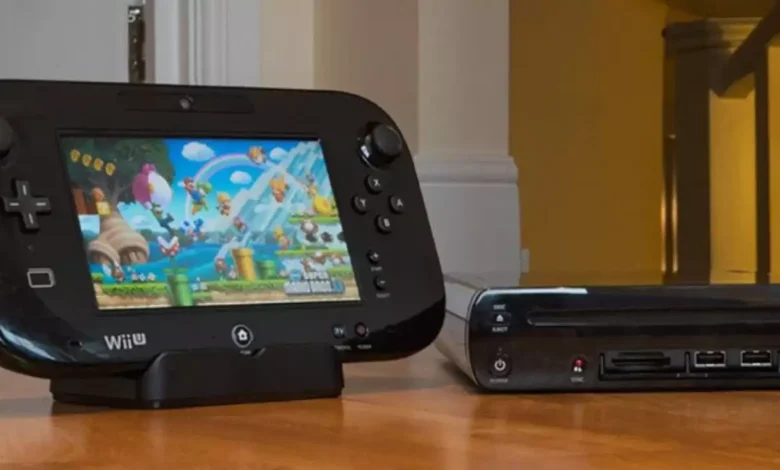
The WiiUnShoplifter has become a widely discussed term in the modding and gaming community, especially among Nintendo Wii U enthusiasts. It’s a utility tool used to manage, download, and install Wii U titles more efficiently, offering an alternative method for handling game data.
This article explains what WiiUShoplifter is, how it works, and what users should know before using it — including safety, legality, and setup tips.
What Is WiiUShoplifter?
WiiUShoplifter is a community-developed software tool designed to help Wii U users download and install games, updates, and DLCs directly from Nintendo’s servers using title keys.
It works by connecting to the Nintendo Update Servers (NUS) and allowing users to access the content associated with the Wii U system. Unlike piracy tools, WiiUShoplifter itself doesn’t include copyrighted content — it only acts as a downloader and installer for content that users have legal rights to access.
This makes WiiUShoplifter popular among modders and digital archivists who want to back up their own purchased games or restore digital content that’s no longer available through the official Wii U eShop.
The History Behind WiiUShoplifter
When Nintendo officially shut down the Wii U and 3DS eShops in 2023, thousands of digital titles became inaccessible to new buyers. This move sparked a surge in community-driven preservation projects, and tools like WiiUShoplifter were developed to help users retain access to content they already owned.
The software was inspired by earlier Wii U utilities such as JNUSTool and NUSGrabber, but WiiUShoplifter improved on them with:
-
A modern interface
-
Simplified commands for beginners
-
Better download stability
-
Cross-platform compatibility (Windows, Linux, etc.)
Essentially, WiiUShoplifter became a next-generation utility for managing Wii U content post-eShop era.
How WiiUShoplifter Works
WiiUShoplifter operates through a title key system — a method that identifies and verifies which digital content you’re allowed to access.
Here’s a simplified breakdown of how it functions:
-
User Provides Title Key – This is a unique code linked to a specific Wii U game or application.
-
Tool Connects to Nintendo’s NUS Servers – The software reaches Nintendo’s servers to locate the corresponding files.
-
Data Download Begins – Game, update, or DLC files are downloaded in encrypted format.
-
Decryption Process – WiiUShoplifter uses available keys to decrypt the data into playable content.
-
Installation – The files can then be installed onto a Wii U system or emulated through Cemu (a popular Wii U emulator).
This streamlined process allows users to safely back up, restore, or transfer their legally owned Wii U titles.
Is WiiUShoplifter Legal and Safe to Use?
The legality of WiiUShoplifter depends entirely on how it’s used.
✅ Legal Usage:
-
Downloading or reinstalling Wii U titles that you’ve purchased legitimately.
-
Preserving digital games that were previously owned before the eShop shutdown.
-
Using it as a data management tool for personal backups.
🚫 Illegal Usage:
-
Downloading games you do not own using leaked title keys.
-
Distributing decrypted game files publicly.
-
Using it for piracy or selling unauthorized copies.
As for safety, WiiUShoplifter is considered safe when downloaded from trusted community sources like GitHub or reputable modding forums. Users should always avoid random file-sharing sites that may host modified or malicious versions.
How to Download and Use WiiUShoplifter
Before installing WiiUShoplifter, ensure you have the following:
-
A Windows or Linux PC
-
The latest Python version (if required for your build)
-
Your Wii U title keys (legally obtained)
-
Cemu emulator (optional for PC use)
Setup Guide:
-
Download the official WiiUShoplifter package from GitHub or verified modding forums.
-
Extract files into a new folder on your desktop.
-
Run the tool and input your title key or load a
.txtfile containing multiple keys. -
Select the game or update you wish to download.
-
The program will connect to Nintendo’s servers, fetch the data, and store it locally.
Once the files are downloaded, you can either install them on a Wii U console using WUP Installer GX2 or run them in Cemu for PC gameplay.
Why WiiUShoplifter Matters to the Gaming Community
The WiiUShoplifter tool plays a vital role in digital preservation, ensuring that beloved Wii U titles aren’t lost due to online store closures. It empowers users to take control of their digital libraries in a time when older platforms are increasingly being left behind.
The modding community values WiiUShoplifter not just as a technical utility, but as a symbol of preservation and user freedom — allowing legitimate owners to keep their games playable for future generations.
As emulation and archival projects continue to grow, WiiUShoplifter stands out as one of the most practical tools for keeping the Wii U ecosystem alive long after Nintendo’s official support has ended.
Final Thoughts
In summary, WiiUShoplifter is a community-built tool designed to preserve the legacy of the Wii U by enabling users to download, restore, and manage their owned titles safely. When used responsibly, it’s an invaluable resource for gamers who value ownership, preservation, and accessibility in the modern digital age.
While Nintendo’s eShop may be gone, tools like WiiUShoplifter ensure that the memories — and the games — continue to live on.