5.4.13 Lab: Secure a Small Wireless Network – Complete Guide and Best Practices

The 5.4.13 Lab: Secure a Small Wireless Network is a hands-on networking exercise commonly used in IT, networking, and cybersecurity courses. Its primary goal is to teach learners how to properly configure and secure a small wireless network using industry-standard security settings. This lab emphasizes real-world skills that are critical for protecting home and small business Wi-Fi environments.
Understanding the Purpose of the 5.4.13 Wireless Security Lab
The main purpose of the 5.4.13 lab is to help students understand wireless security fundamentals. Wireless networks are convenient but vulnerable, making proper configuration essential.
Key objectives include:
-
Identifying wireless security threats
-
Configuring secure Wi-Fi settings
-
Preventing unauthorized network access
-
Applying best practices for small networks
By completing this lab, learners gain confidence in securing real wireless routers and access points.
Initial Network Setup and Router Configuration
The first step in the 5.4.13 Lab: Secure a Small Wireless Network is setting up the router correctly.
Typical tasks include:
-
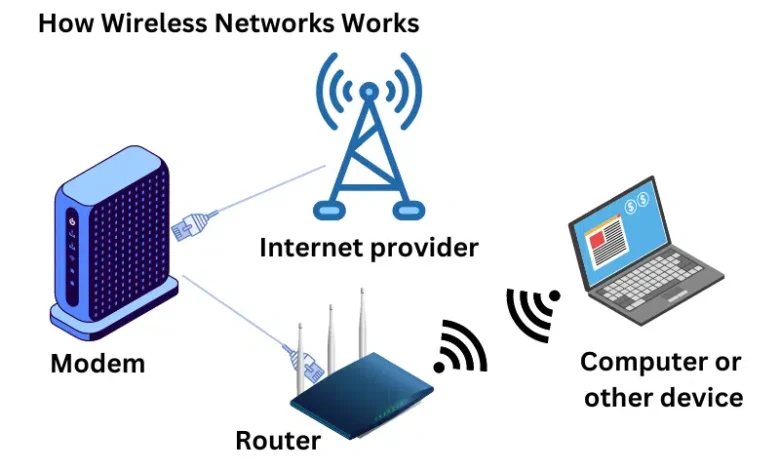
Connecting a wireless router to a network
-
Accessing the router’s administration interface
-
Changing the default admin username and password
-
Updating the router’s firmware
Changing default credentials is critical because default router logins are widely known and often exploited.
Configuring Wireless Security Settings
This section is the core of the lab. Learners configure strong wireless protection to prevent intrusions.
Common configurations include:
-
Enabling WPA2 or WPA3 encryption
-
Disabling WEP, which is outdated and insecure
-
Creating a strong Wi-Fi passphrase
-
Changing the SSID name to avoid revealing router details
Using WPA2-PSK or WPA3 significantly improves network security and is strongly recommended for small wireless networks.
Implementing Additional Wireless Protection Measures
Beyond basic encryption, the lab introduces extra layers of security.
These may include:
-
Disabling SSID broadcasting
-
Enabling MAC address filtering
-
Turning off remote management
-
Limiting DHCP address ranges
While some of these features provide limited protection individually, together they help reduce attack surfaces in small wireless networks.
Testing Network Security and Connectivity
After configuration, the lab requires testing to confirm everything works as expected.
Testing steps usually involve:
-
Connecting authorized devices to the Wi-Fi network
-
Verifying internet access
-
Ensuring unauthorized devices cannot connect
-
Checking signal strength and performance
This step reinforces the idea that security should not break usability when implemented correctly.
Why the 5.4.13 Lab Matters in Real-World Networking
The 5.4.13 Secure a Small Wireless Network lab mirrors real-life networking tasks performed by IT professionals.
Real-world benefits include:
-
Improved cybersecurity awareness
-
Practical experience with router security
-
Skills applicable to home and small business networks
-
Preparation for networking certifications
Understanding wireless security at this level helps prevent data breaches, unauthorized access, and network misuse.
Conclusion
The 5.4.13 Lab: Secure a Small Wireless Network is an essential learning exercise that teaches practical, real-world wireless security skills. By configuring encryption, strengthening router settings, and testing network protection, learners gain hands-on experience that directly applies to everyday networking scenarios.
Whether for coursework, certification prep, or personal knowledge, mastering this lab builds a strong foundation in wireless network security.